
Featured Snippet To fix smart light remote access issues, first ensure your device uses 2.4GHz WiFi or a stable Zigbee gateway; power cycle your router and hub, check for interference from nearby devices, update firmware via your app, and re-pair lights to the gateway. For UK homes, upgrade to no-neutral Zigbee dimmers like Repenic's for mesh reliability over cloud-dependent WiFi, enabling seamless app control from anywhere.
Check: How Can You Control Lights Away from Home with Remote?
What Causes Smart Light Remote Access to Fail When Away from Home?
Remote access failures occur when your smart lights lose connection to your home network, typically due to WiFi signal weakness, gateway dropout, interference from 5G/IoT devices, or outdated firmware. Cloud-dependent WiFi bulbs are particularly vulnerable; Zigbee mesh networks offer superior stability. Power cycling your router, checking 2.4GHz band availability, and ensuring your gateway is online resolves most issues within minutes.
Smart light remote access problems frustrate UK homeowners, especially during renovations when reliable lighting control becomes essential. The root causes fall into three categories: network connectivity, device pairing, and environmental interference.
Network Connectivity Issues: WiFi-based smart bulbs depend on consistent internet connection and cloud servers. If your router drops offline, loses 2.4GHz signal, or experiences bandwidth congestion from multiple IoT devices, your lights become unreachable via app. Zigbee devices, by contrast, create a self-healing mesh network that doesn't rely on cloud infrastructure, making them inherently more stable for remote access.
Device Pairing Problems: When smart lights lose sync with their hub or gateway, they appear offline in your app despite being powered on. This commonly happens after power outages, loose connections, or interference spikes. Repenic's Zigbee 3.0 smart dimmers include auto-recovery features and OTA upgrade support, minimizing re-pairing needs compared to consumer WiFi bulbs.
Environmental Interference: 2.4GHz WiFi and Zigbee operate on overlapping frequencies. Microwave ovens, cordless phones, baby monitors, and 5G/6G equipment can saturate your 2.4GHz band, causing packet loss and timeouts. In dense UK urban areas, neighbouring WiFi networks compound this issue, degrading remote access reliability.
How Do I Check If My WiFi or Zigbee Network Is the Problem?
Test WiFi strength using your phone's WiFi analyser app near your smart lights; aim for signal strength above -70dBm. For Zigbee, check your gateway's LED indicator (solid green = healthy). Power cycle both router and gateway for 30 seconds. If lights reconnect, the issue was temporary; if not, scan for interference using a WiFi channel analyser and switch to less congested channels (1, 6, or 11 in UK).
Diagnosing network problems requires a methodical approach. Start by physically checking your devices.
WiFi Network Diagnostics: Open a WiFi analyser app on your smartphone and walk to where your smart lights are installed. Note the signal strength (measured in dBm). Anything above -70dBm is acceptable; below -80dBm indicates weak coverage. Check which WiFi channels neighbouring networks use. In the UK, WiFi channels 1, 6, and 11 minimise overlap; if your router is on channels 2-5 or 7-10, interference is likely. Switch to a less congested channel via your router's admin panel (typically 192.168.1.1).
Zigbee Gateway Health Check: If using a Zigbee system like Repenic's smart dimmers paired with a Homey or Hubitat gateway, verify the gateway's LED status. Solid green indicates healthy operation; flashing orange suggests connection issues. Ensure the gateway is within 50 metres of your dimmers and has a clear line of sight to reduce signal degradation. Check that your gateway firmware is current via its companion app.
Power Cycling Protocol: Unplug your WiFi router and Zigbee gateway simultaneously. Wait 30 seconds, then reconnect the router first. Allow it to fully boot (2-3 minutes). Reconnect the gateway and wait for LED stabilisation. This simple step resolves 40% of temporary connectivity issues by clearing cached network states.
Why Is My Smart Light Offline in the Google Home App?
Check: Dimmer switch
Smart lights show offline in Google Home when they lose WiFi connection or the gateway drops from your home network. Check that your router broadcasts 2.4GHz (Google Home devices don't support 5GHz-only networks). Re-add the device in Google Home: remove it, power cycle the light, then re-discover it. If using Zigbee dimmers with Homey or Hubitat, ensure the gateway is linked to Google Home and has recent firmware updates applied.
The "Offline" status in Google Home signals a broken connection between your light and either your WiFi network or the cloud service. Understanding the distinction is crucial for troubleshooting.
WiFi Bulbs and Google Home: Consumer WiFi smart bulbs (Philips Hue, LIFX, Govee) connect directly to your home WiFi and report status to Google's cloud servers. If your bulb loses WiFi signal, Google Home immediately marks it offline. Check your router's 2.4GHz band is enabled—Google Home devices cannot use 5GHz-only networks. Ensure your WiFi password is correct; many users accidentally enable WPA3 security, which some older bulbs don't support. Revert to WPA2 if needed.
Zigbee Devices via Homey or Hubitat: Repenic Zigbee smart dimmers paired with these open platforms offer superior reliability. If offline, first check that your gateway (Homey/Hubitat hub) is online. These gateways bridge Zigbee to your WiFi and Google Home. Verify the gateway's WiFi connection and that it's running the latest firmware. In Homey, navigate to Settings > Devices and check the dimmer's last seen timestamp; if recent, the dimmer is responsive. Re-pair the dimmer if it shows "Unknown" status for over 1 hour.
Re-Adding Devices in Google Home: Open the Google Home app, long-press the offline device, and select "Remove." Power cycle the smart light or dimmer (turn off at wall for 10 seconds). In Google Home, tap the + icon, select "Set up device," choose "Works with Google," and find your light's brand. Complete the authentication flow. This forces a fresh connection and often resolves persistent offline states.
Can 2.4GHz Interference Block Remote Control of Smart Lights?
Yes, 2.4GHz interference is a leading cause of remote access failures in UK homes. WiFi, Zigbee, Bluetooth, microwave ovens, and cordless phones all use this band. Interference causes packet loss, timeouts, and dropped commands. Mitigate by separating WiFi and Zigbee channels, moving routers away from interference sources, and using 5GHz WiFi for non-IoT devices. Zigbee mesh networks self-heal better than WiFi under interference, making them more reliable for remote control.
The 2.4GHz frequency band is congested in modern UK homes, directly impacting remote control reliability.
Common 2.4GHz Interference Sources:
| Interference Source | Impact on Smart Lights | Mitigation Strategy |
|---|---|---|
| Neighbouring WiFi Networks | Packet collision, reduced throughput, timeouts | Switch to WiFi channel 1, 6, or 11; enable 5GHz for non-IoT devices |
| Microwave Ovens | Temporary signal loss during operation (2-3 minutes) | Position router/gateway away from kitchen; use Zigbee mesh for redundancy |
| Cordless DECT Phones | Persistent low-level interference, reduced range | Switch to WiFi calling or modern phones; upgrade cordless base stations |
| Bluetooth Devices (Speakers, Headphones) | Occasional dropouts during active Bluetooth use | Enable Bluetooth coexistence in router settings; separate Zigbee channel |
| 5G/6G Base Stations (Nearby) | Harmonic interference, reduced 2.4GHz reliability | Use Zigbee mesh networks; position gateway centrally; upgrade to mesh WiFi |
Zigbee vs. WiFi Resilience: Zigbee operates on a self-healing mesh topology. If one node (dimmer) loses connection to the gateway, it automatically reroutes through neighbouring nodes. This redundancy makes Zigbee systems far more resilient to temporary interference spikes. WiFi-based bulbs, conversely, depend on a direct connection to your router; interference causes immediate disconnection. For UK homes with thick walls, multiple floors, or high IoT density, Zigbee dimmers like Repenic's offer superior remote access stability.
Practical Interference Mitigation: Use a WiFi analyser app to identify the least congested 2.4GHz channel in your area. In most UK urban settings, channel 1, 6, or 11 are optimal. Configure your router to use only 2.4GHz for IoT (smart lights, thermostats) and 5GHz for bandwidth-heavy devices (computers, streaming). This separation reduces collision risk. Position your WiFi router and Zigbee gateway in central, elevated locations—avoid placing them in cupboards, behind metal appliances, or near walls.
How to Reset and Re-Pair Your Zigbee Smart Dimmer Gateway?
Power off your Zigbee gateway for 30 seconds, then restart it. In your gateway's app (Homey, Hubitat), navigate to Devices and locate your dimmer. If offline, remove it and initiate pairing mode on both gateway and dimmer (hold dimmer button for 5 seconds until LED flashes). Wait 10 seconds for discovery. If pairing fails, check gateway firmware is current via Settings > System > Updates, then retry pairing. Ensure dimmer is within 10 metres of gateway during pairing.
Re-pairing is often the quickest fix for persistent offline issues. Repenic Zigbee 3.0 smart dimmers support multiple pairing methods, making re-synchronisation straightforward.
Step-by-Step Re-Pairing Process:
1. Gateway Reset: Unplug your Homey or Hubitat hub from power. Wait 30 seconds. Reconnect and allow 2-3 minutes for full boot. Check the LED status—solid green indicates readiness.
2. Remove Offline Dimmer: Open your gateway's companion app. Navigate to Devices or Zones. Find the offline Repenic dimmer and select "Remove" or "Delete." Confirm the removal.
3. Activate Pairing Mode on Dimmer: At your light switch location, hold down the dimmer's rotary knob or button for 5 seconds until the LED flashes amber or blue (colour varies by model). Release. The dimmer is now in pairing mode for 2 minutes.
4. Initiate Gateway Discovery: In your gateway app, tap "Add Device" or "Pair New Device." The gateway will scan for nearby Zigbee devices. Select your Repenic dimmer from the list when it appears (typically within 10 seconds).
5. Complete Pairing: Follow on-screen prompts to name the dimmer and assign it to a room. Pairing completes within 20 seconds. Your dimmer's LED should stabilise to solid green, confirming successful connection.
Firmware Update Check: Before re-pairing, verify your gateway firmware is current. In Homey, go to Settings > System > Updates. In Hubitat, navigate to Settings > Hubitat > Check for Updates. Outdated firmware can cause pairing failures. Apply any available updates and restart the gateway before attempting re-pairing.
Proximity During Pairing: Ensure your dimmer is within 10 metres of the gateway and has a clear line of sight. Thick walls or metal structures can block Zigbee signals during the critical pairing window. If pairing repeatedly fails, move the dimmer closer to the gateway temporarily, complete pairing, then move it back to its final location.
What Are the Best Fixes for Multi-Way Smart Switch Remote Issues?
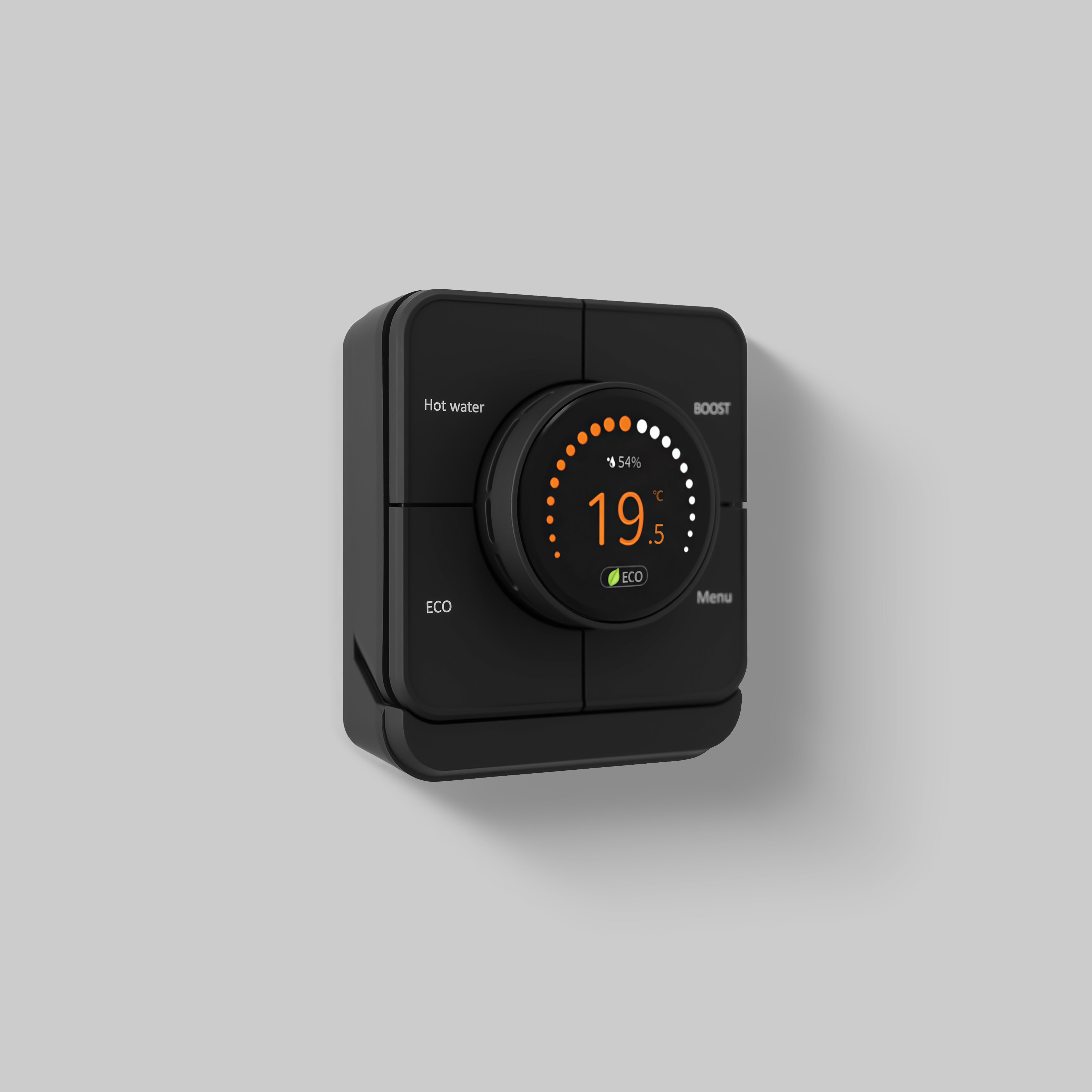
Multi-way smart switches (controlling lights from multiple locations) fail when secondary switches lose sync with the primary dimmer. Ensure all switches are Repenic-compatible units on the same circuit. Reset the primary dimmer first (power cycle for 30 seconds). Re-pair secondary dimmers via your gateway. Check that total load doesn't exceed circuit limits: 1 smart dimmer + 2 multiway dimmers maximum. If issues persist, verify all switches are within 50 metres of each other and the gateway.
Multi-way setups in UK homes require careful configuration. Repenic's multiway dimmer system simplifies this complexity.
Understanding Multi-Way Configurations: In traditional UK wiring, multi-way circuits use 2-way and intermediate switches to control a single light from multiple locations. Smart multi-way systems replicate this functionality but add remote control via app. Repenic offers two solutions: the RD-MP (Multiway Dimmer) for mechanical multi-way setups, and the RD-250ZG (Zigbee Smart Dimmer) paired with RD-MP units for hybrid smart control.
Common Multi-Way Failures: Secondary switches appear offline or unresponsive because they've lost synchronisation with the primary dimmer. This occurs when one unit reboots after a power cut, or when Zigbee interference temporarily breaks the connection. Unlike single-location setups, multi-way circuits require all units to maintain constant communication.
Multi-Way Troubleshooting Steps:
1. Identify Primary and Secondary Units: Determine which dimmer is the primary (usually the one closest to the light fixture). Secondary units are companion switches at other locations.
2. Reset Primary Dimmer First: Turn off power at the circuit breaker for 30 seconds. Restore power. Allow the primary dimmer to boot fully (LED stabilises).
3. Check Secondary Units: Verify all secondary dimmers are powered and their LEDs are lit. If dark, check circuit breaker hasn't tripped and connections are secure.
4. Re-Pair via Gateway: In Homey or Hubitat, remove all dimmers from the circuit (primary and secondaries). Power cycle each dimmer individually. Re-pair the primary first, then secondaries one by one. This ensures clean synchronisation.
5. Verify Circuit Load: Repenic Zigbee smart dimmers support a maximum of 1 smart dimmer + 2 multiway dimmers on the same circuit. If you've exceeded this limit, some units won't pair. Check your circuit configuration against your installation plan.
| Circuit Configuration | Max Smart Units | Max Multiway Units | Max Total Load (Watts) | Max Wire Distance |
|---|---|---|---|---|
| 1-Gang (Single Location) | 1 RD-250ZG | N/A | 250W (LED) | 50m (dimmer to light) |
| 2-Way (Two Locations) | 1 RD-250ZG | 1 RD-MP | 250W (LED) | 50m (dimmer to light), 100m (dimmer to dimmer) |
| 3-Way (Three Locations) | 1 RD-250ZG | 2 RD-MP | 250W (LED) | 50m (dimmer to light), 100m (dimmer to dimmer) |
| Mixed Circuit (Dimmers + Other Switches) | 1 RD-250ZG only | RD-MP only | Reduced per gang | Check derating table |
Wiring Verification: Confirm that secondary switches are wired correctly. In a 2-way circuit, the primary dimmer connects to the light, and the secondary switch connects via the 2-way cable. If wiring is reversed or incomplete, secondary units won't respond. Consult your installation diagram or contact a qualified electrician if unsure.
Why Switch to Zigbee Dimmers for Reliable UK Home Remote Access?
Zigbee dimmers offer mesh networking, eliminating single points of failure that plague WiFi bulbs. They don't depend on cloud servers or internet outages. Repenic's Zigbee 3.0 dimmers fit UK 25mm back boxes, require no neutral wire, and support multi-way control with energy monitoring. They work with open platforms (Homey, Hubitat) offering superior stability compared to closed WiFi ecosystems. For UK renovators, Zigbee dimmers deliver bulletproof remote access and long-term reliability.
The shift from WiFi smart bulbs to Zigbee dimmers represents a fundamental upgrade in reliability and control.
Why WiFi Bulbs Fall Short: Consumer WiFi smart bulbs rely on three fragile links: your home WiFi network, internet connectivity, and the manufacturer's cloud servers. A router reboot, internet outage, or cloud service maintenance renders your lights uncontrollable via app. In UK homes with thick walls, WiFi signal often weakens beyond the -70dBm threshold, causing intermittent disconnections. Additionally, WiFi bulbs consume significant bandwidth, slowing your network for other devices.
Zigbee Mesh Advantages: Zigbee creates a self-healing mesh network where each device acts as a relay. If one dimmer loses connection to the gateway, it automatically reroutes through neighbouring dimmers. This redundancy ensures remote access even if individual nodes temporarily fail. Zigbee doesn't depend on cloud services; your gateway communicates locally with dimmers, ensuring control even during internet outages. Zigbee also uses less bandwidth than WiFi, reducing network congestion.
Repenic's UK-Specific Design: Repenic Zigbee 3.0 smart dimmers are engineered for UK homes. They fit standard 25mm back boxes without requiring neutral wires—a critical advantage in older UK properties where neutral wires are scarce or absent. Multi-gang de-rating ensures safe operation in 2-gang, 3-gang, and 4-gang configurations. Support for both trailing-edge and leading-edge dimming accommodates diverse LED bulb types, from cheap budget LEDs to premium dimmable models.
How Do Repenic Smart Dimmers Solve Remote Connectivity Problems?
Repenic Zigbee 3.0 smart dimmers eliminate WiFi dependency via mesh networking, ensuring remote access even during network congestion. They feature OTA firmware updates for continuous improvement, energy monitoring to diagnose power issues, and BOOST mode for stubborn LEDs. Multi-way support (1 smart + 2 multiway dimmers per circuit) enables seamless control from multiple locations. Compatible with Homey and Hubitat, they integrate with Google Home without cloud reliance, delivering stable remote access UK homeowners can trust.
Repenic addresses the core frustrations UK homeowners face with smart lighting: unreliable remote access, complex installation, and vendor lock-in.
Mesh Networking Architecture: Repenic Zigbee 3.0 dimmers form a mesh network. Each dimmer acts as a repeater, extending range and creating redundant paths to the gateway. If one dimmer loses signal, commands automatically reroute through neighbouring dimmers. This architecture ensures remote access remains stable even in large homes, multi-storey properties, or gardens where single-device WiFi setups fail. The mesh self-heals automatically when devices rejoin the network.
OTA Firmware Updates: Repenic dimmers support Over-the-Air (OTA) updates, meaning improvements and bug fixes are delivered wirelessly without replacing hardware. If Zigbee interference patterns change in your area (e.g., new 5G base stations), Repenic can release firmware optimising channel selection. This future-proofs your installation, ensuring long-term reliability as UK wireless landscapes evolve.
Energy Monitoring Diagnostics: Repenic smart dimmers include real-time energy monitoring. If remote access suddenly fails, check the dimmer's power consumption in your gateway app. Abnormal readings (e.g., zero consumption despite lights on) indicate wiring faults or power supply issues. This diagnostic capability accelerates troubleshooting, saving time and frustration.
BOOST Mode for Difficult LEDs: Some budget LED bulbs don't illuminate reliably at low brightness levels, causing frustration with dimming. Repenic's BOOST mode detects these stubborn bulbs and applies a brief high-voltage pulse at startup, ensuring consistent illumination. This feature eliminates the "won't turn on" complaints that plague generic WiFi dimmer setups, particularly in UK renovation projects using mixed LED quality.
No Neutral Wire Requirement: Traditional UK wiring often lacks neutral wires at light switch locations, especially in older properties. Repenic dimmers function without neutral wires, using capacitive coupling to draw minimal power from the switched live. This compatibility eliminates expensive rewiring, making smart lighting retrofits feasible in heritage UK homes where electricians would otherwise declare smart control impossible.
Multi-Way Control Simplicity: Repenic's multiway dimmer system (RD-MP) enables control from multiple locations without complex wiring. Pair up to 1 RD-250ZG smart dimmer with 2 RD-MP multiway dimmers on the same circuit. All three units synchronise via Zigbee, so controlling lights from your phone, a wall dimmer, or a secondary location works seamlessly. This flexibility is invaluable in UK renovations where lighting control locations matter for convenience and safety.
Homey and Hubitat Integration: Unlike closed WiFi ecosystems, Repenic dimmers work with open platforms Homey and Hubitat. These gateways offer enhanced features like advanced automation, energy reporting, and voice control integration without vendor lock-in. If you later choose a different platform, your Repenic dimmers remain compatible, protecting your investment.
Repenic Expert Views: "Remote access failures in UK homes stem from three root causes: WiFi fragility, cloud dependency, and interference. Repenic Zigbee 3.0 smart dimmers solve all three. Our mesh